Have you ever worked on a big project with a team? It can be a lot of fun, but it can also be a bit chaotic. You have to keep track of a lot of things. You have to know who is doing what, when a task is due, and what problems might come up. This is the job of a project manager. It’s a lot of work. But what if you had a super-smart assistant that could help you with all of it? That’s what AI for project management is all about.
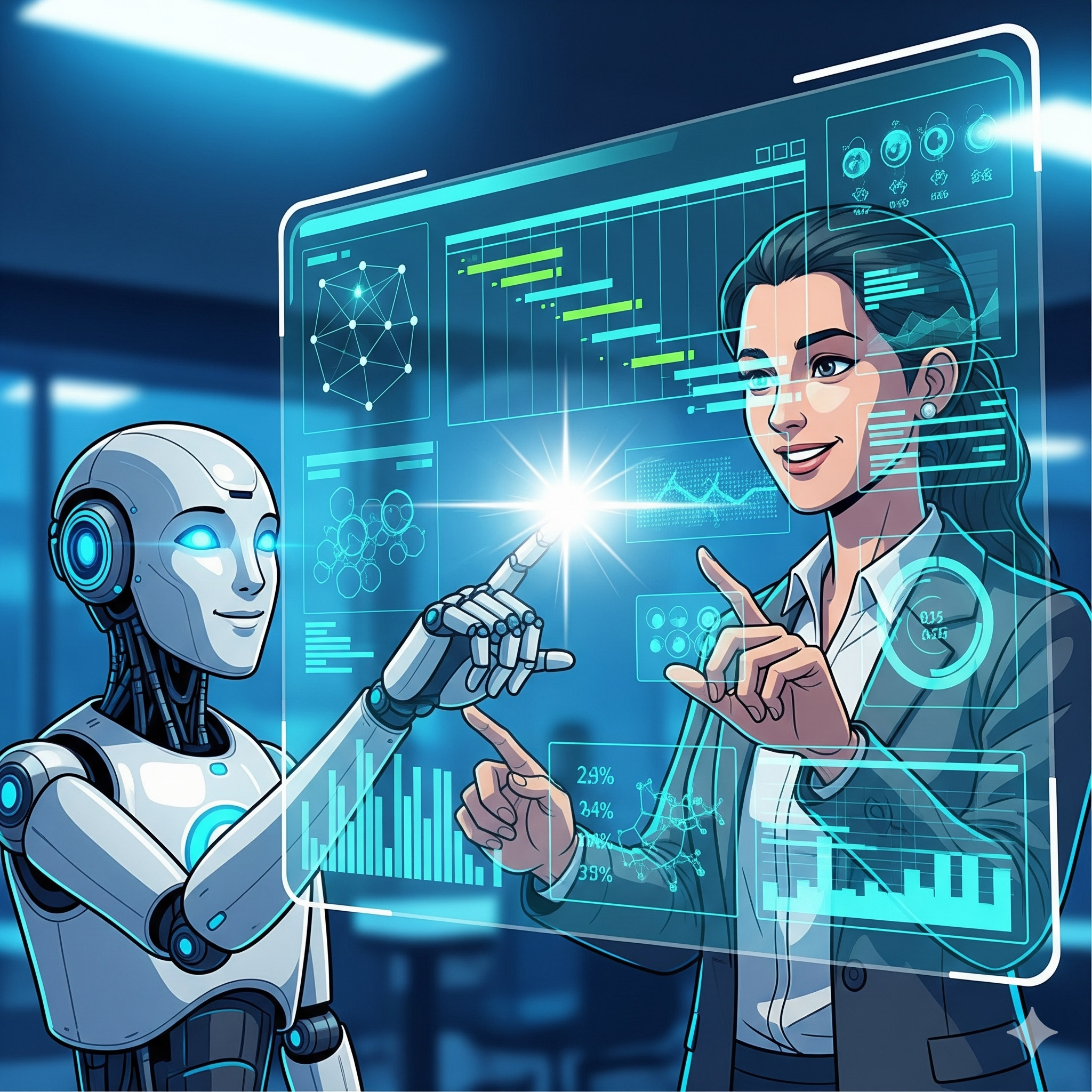
AI is not here to replace the project manager. It’s here to make the project manager’s job easier. It handles the boring, repetitive parts of the job, like sending reminders and updating spreadsheets. This frees up the human project manager to focus on the things that only a human can do, like inspiring a team and solving big, unexpected problems. This article will show you how to use AI to make your projects run more smoothly. We’ll explore how AI helps at every stage. We’ll also look at real-world examples and the top tools you should be using. By the end, you’ll know how to use AI to become a more effective and successful project manager.
AI Project Management Tools: Your Ultimate Assistant
Imagine your project is like a big puzzle. There are a lot of pieces. They all have to fit together in the right way. Your job is to make sure that happens. AI project management tools can be a huge help here. They act like a smart assistant that helps you keep track of all the puzzle pieces. They can predict where problems might arise. Also, They can also tell you how to solve them.
Here are some of the ways AI helps with project management:
- Predictive Analytics: AI can look at past projects and learn from them. It can then predict if a new project might have problems or delays. This helps you catch problems before they happen.
- Task Automation: AI can automate a lot of the boring work. It can send reminders to team members. It can also update your calendar. This helps you save a lot of time.
- Resource Optimization: AI can help you decide who should work on a project. It can look at your team’s skills and availability. It then suggests who would be the best fit for a task. This helps you use your team’s time in the smartest way possible.
- Intelligent Reporting: AI can read your project data and create a report for you. It can summarize what has been done and what is left to do. This helps you keep everyone on the team up to date.
A Gartner report predicts that by 2030, 80% of project management tasks will be run by AI. This shows that AI is a very important part of the AI project management tools space.
AI for Task Automation: Making Work Simpler
A project manager has to handle a lot of small tasks. They have to schedule meetings, send emails, and update status reports. This can take a lot of time and energy. This is where AI for task automation comes in. It takes all of this busy work and does it for you. This frees you up to do what you do best: lead your team.
Here are some of the ways AI helps with task automation:
- Meeting Summaries: An AI tool can listen to a meeting and write a summary for you. It can also create a list of action items. It can then send that list to everyone on the team. This means you don’t have to take notes anymore.
- Automated Scheduling: In the past, scheduling a meeting could involve a lot of back-and-forth emails. With an AI scheduler, you just send a link. The AI finds a time that works for everyone and books the meeting for you.
- Smart Notifications: The AI can send a reminder to a team member when a task is due. This ensures that nothing falls through the cracks. It also means you don’t have to be the one to send all the reminders.
- Data Entry: AI can automatically extract data from documents and put it into your project management software. This saves a lot of time. It also prevents human error.
These workflow automation AI tools are a game-changer for project managers. They help you stay organized and on track without all the hard work.
Real-World Applications of AI in Project Management
Many companies are already using AI to make their projects more successful. These case studies prove that AI for project management is not just a theory; it’s a powerful tool.
Case Study 1: Zoom’s Use of Asana AI
Zoom, the video conferencing company, has a large team. They needed a way to keep everyone on the same page. They started using Asana, a project management tool with AI features. The AI in Asana helps them to manage their projects more efficiently. Zoom’s teams use Asana’s AI to automatically create project plans. They also use it to get real-time status updates. This has saved them a huge amount of time. They reported saving 667 workdays per year with these AI-powered features. This is a great example of how AI can help a big company work smarter.
Case Study 2: Monday.com’s Predictive Analytics
Monday.com is a very popular project management tool. They have added a lot of AI features to their platform. The AI can look at a project’s history. It can then predict if it will be late. This helps project managers to see problems before they happen. The AI can also help with resource allocation. It can look at a team’s workload and suggest who should work on a task. This helps to prevent burnout and keep everyone on track. This is a great example of how AI can improve a project’s performance.
Case Study 3: The Healthcare System’s Workflow Boost
A large healthcare system was struggling with a lot of paperwork. Doctors and nurses had to fill out a lot of forms for each patient. This took time away from their patients. The healthcare system started using an AI tool. The AI was able to automate a lot of the paperwork. This freed up the doctors and nurses. They were then able to spend more time with their patients. This made the patients happy. It also made the doctors and nurses happy. This is a great example of how AI can help a business be better.
Top AI Project Management Tools for 2025
The market is full of fantastic tools that can supercharge your project management workflow. Here are a few that are highly recommended for both beginners and experienced professionals.
- Asana: This is a very popular project management tool with powerful AI features. It has “Smart Summaries” that can give you a quick overview of a project. It also has “Smart Goals” that can help you set a clear vision for your team. [See source](https://asana.com/customers).
- Monday.com: This is a great tool for visual thinkers. It has a lot of AI features, including predictive workload planning. The AI can tell you if a team member is getting too much work. This helps you prevent burnout and keep everyone on track. [See source](https://monday.com/blog/project-management/).
- ClickUp: This is an all-in-one productivity tool with a lot of AI features. It can automate repetitive tasks. It can also help you with a lot of the boring administrative work. It’s a great tool for teams that want to be more efficient.
- Notion AI: This tool is great for organizing your thoughts. You can use it to summarize documents, create to-do lists, and brainstorm ideas. It is a great tool for anyone who has a lot of information to manage.
These tools are at the forefront of AI project management tools. They can help you take your projects to the next level.
Conclusion: The Future of Project Management Is Human-Powered
So, is AI going to replace project managers? The answer is no. Instead, AI is changing the job for the better. It is taking away the boring, repetitive work. This frees up project managers to be more creative and strategic. The future of project management is a partnership between human creativity and AI efficiency. The AI can handle the data and the task automation. The human can handle the creative, emotional, and strategic parts of the job.
According to a McKinsey report, the most successful companies are the ones that redesign their workflows to include AI. [See source](https://www.mckinsey.com/capabilities/quantumblack/our-insights/the-state-of-ai). This is a huge change. But it is not about replacing the human. It is about empowering the human. The project managers who learn to use AI as a partner will be the ones who stand out. They will be more productive. They will also be more creative. Also, They will be able to lead their teams more effectively and have a more enjoyable workflow.