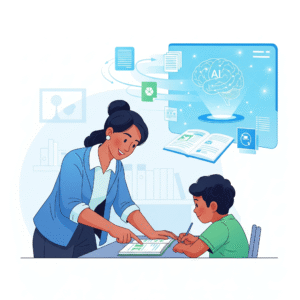
Remember the first time you learned to ride a bike? It felt a little wobbly at first, right? You needed a guiding hand, a little push, and maybe some training wheels. Getting started with AI in education for beginners can feel a lot like that. It’s a big, exciting new tool, but it can also seem a bit scary. The good news? You don’t have to figure it out alone.
This guide is like your friendly co-pilot for the amazing journey of integrating artificial intelligence into your teaching. We’ll go on a little adventure together, following the story of a teacher named Mr. Patel. He was just like many of you—a little skeptical, very busy, and a lot curious. Through his story, you’ll discover how AI can become your most powerful helper, freeing up your time and making learning more personalized and fun for every student.
The Story of Mr. Patel: From Skeptic to Super-Teacher
Mr. Patel was a seasoned history teacher, and his classroom was always buzzing. He loved teaching, but he often felt like he was drowning in paperwork. Grading essays took hours. Creating different versions of a quiz for students with special needs was a marathon. And coming up with fresh, creative lesson plans for every single class? Well, that felt like trying to fill an endless well.
One day, a new, younger teacher, Ms. Anya, was buzzing about this “AI thing.” She told Mr. Patel, “It’s like having a super-smart helper who never sleeps!” He laughed, but he was intrigued. So, he decided to dip his toes in the water. This is where his journey with AI in education for beginners truly began.
Step 1: Using AI for Lesson Planning (AI in education for beginners)
Mr. Patel’s first experiment was with lesson planning. He had a unit on ancient Rome, and he needed a fun, interactive way to teach students about daily life. Instead of spending hours searching the web, he opened an AI tool. He typed a simple request: “Give me three creative, engaging lesson plans for a high school history class about a day in the life of a Roman citizen. Make one a scavenger hunt, one a debate, and one a role-playing activity.”
In just a few seconds, the AI gave him a detailed outline for each activity. It suggested specific roles for the debate, provided scavenger hunt questions, and even offered a rubric for the role-playing activity. This saved him an entire evening of work. He was stunned. It wasn’t a perfect plan, but it was a fantastic starting point. He realized that a great teacher-AI collaboration wasn’t about the AI doing everything; it was about the AI giving you a head start so you could focus on the fun parts.
Step 2: Making Quizzes and Worksheets Faster
Next, Mr. Patel tackled a huge pain point: creating multiple versions of a quiz. He had students who needed extra help and some who needed a bigger challenge. This used to take him forever. With his new AI co-pilot, it became incredibly simple.
He took his original 20-question quiz and put it into the AI. He then gave it a few simple instructions:
- “Take this quiz and create a new version with only 10 questions for students who need more time.”
- “Now, take the original quiz and create a more challenging version with 5 new critical thinking questions.”
- “Finally, create a short study guide based on the original quiz topics.”
The AI completed all three tasks in less time than it took him to walk to the coffee machine. He suddenly had a personalized learning experience for all his students without the extra effort. Consequently, his students felt more successful, and he felt more in control. This showed him how an AI for teachers guide could truly change his daily life.
How to Get Started with AI: Your First Steps
Just like Mr. Patel, your first steps don’t have to be massive. Think of AI as a tool, a new pencil or a new book, that simply helps you do what you already do—just a little better and a lot faster.
The Big Picture: What is AI? (AI in education for beginners)
Imagine you have a robot friend who can read every book in the world, look at every picture, and listen to every sound. This friend can learn from all that information and then use it to help you. That’s what AI is! It’s not magic; it’s a very smart computer program that learns from massive amounts of data and can then do helpful things like writing, drawing, and organizing information. Therefore, when we talk about AI in education for beginners, we’re talking about using this super-smart helper to make your life easier and your students’ learning more engaging.
Real-World Examples: Case Studies in the Classroom
Many teachers are already using AI. Here are a few examples that show how it’s making a real difference.
Case Study 1: The English Teacher Who Cut Grading Time in Half
A high school English teacher in California, Ms. Chen, felt overwhelmed with grading. She used an AI tool to create a rubric based on her specific grading criteria. She then used the AI to help with initial feedback on student essays. The AI would highlight grammatical errors and suggest areas for improvement based on her rubric. While she still did all the final grading and personal comments, this process cut her time spent grading from 10 hours a week down to just 4. This is a perfect example of effective teacher-AI collaboration.
Case Study 2: The Elementary Teacher and the AI-Powered Learning Path
Mr. Davis, a third-grade teacher, struggled to keep all his students on the same pace. He started using an AI-powered personalized learning platform. The platform would ask his students questions and then create a unique learning path for each one, providing easier practice for those who needed it and more challenging activities for those who were ready to move ahead. This transformed his classroom into a place where every child could learn at their own pace. This is a powerful use of AI for classroom management.
Case Study 3: The University Professor and a Research Assistant
A university professor, Dr. Anya Sharma, used to spend weeks sifting through academic papers to prepare for her lectures. She started using an AI-powered research assistant tool. She would input her topic, and the tool would summarize key findings from hundreds of papers, find the most important quotes, and even identify common arguments. This allowed her to build richer, more informed lectures in a fraction of the time, proving that AI is a valuable resource for advanced educators, as well as an incredible AI in education for beginners tool.
Key AI Tools for Your Classroom
You don’t need a fancy, expensive program to start. Here are a few popular tools that can help with AI for teachers guide to get started.
- Khanmigo: Created by Khan Academy, this is a fun, interactive AI tutor and teaching assistant. It’s designed to help students learn and to help teachers with tasks like lesson planning and creating student reports.
- Google’s NotebookLM: Think of this as a super-powered research assistant. You upload your class notes, lecture transcripts, and readings, and the AI can summarize information, create study guides, and answer questions based on the documents you provided. It’s a fantastic AI in education for beginners tool.
- ChatGPT: This is the most famous AI writing tool. You can use it to brainstorm ideas, write practice prompts for students, create quiz questions, or even help you compose emails to parents. It’s an incredibly versatile co-pilot for any teacher.
Actionable Tips: Your “How-To” Guide (AI in education for beginners)
Getting started is all about trying one simple thing and seeing what works. Here are some easy-to-follow tips and workflows.
Workflow 1: Creating a Quick Practice Test
- Find a Topic: Grab a paragraph from your textbook or a short article you want to use for a quiz.
- Paste It: Copy and paste the text into an AI tool like ChatGPT.
- Give the AI a Job: Type a simple command, like: “Create 10 multiple-choice questions and 5 short-answer questions from the text above. Also, provide an answer key.”
- Edit and Refine: The AI will give you a draft. Look it over, change any questions that don’t fit, and add your own personal touch. You’ll be surprised at how much time this saves. This is a core part of an effective AI for teachers guide.
Workflow 2: Crafting a Personalized Writing Prompt (AI in education for beginners)
Let’s say you’re teaching a writing unit on persuasive essays. You want to give each student a topic they’re passionate about.
- Start with the Student: Ask a student, “What’s a topic you’re really interested in?” Let’s say a student loves soccer.
- Use AI for a Prompt: Go to an AI tool and type: “Create a persuasive essay prompt about soccer for a middle school student. The prompt should encourage them to argue for or against a specific rule change in the sport.”
- The AI’s Magic: The AI will give you a specific, engaging prompt, for example: “Should professional soccer games use video replay to review every goal? Write an essay arguing for or against this rule change.” This is an incredibly helpful part of AI in education for beginners.
A Word of Caution: The Human Touch
While AI is amazing, it’s not a replacement for you. It’s a tool to help you be a better teacher. Always check the information the AI gives you, and remember that your creativity, empathy, and personal connection with your students are things no machine can replicate. Therefore, the best approach is to embrace a balanced teacher-AI collaboration.
AI-Driven Adaptive Learning: The Future of Your Classroom
The Future of the Classroom: You and Your Co-pilot (AI in education for beginners)
The journey of exploring AI in education for beginners is about more than just technology. It’s about finding new ways to connect with your students, personalize their learning, and free up your precious time. Mr. Patel is now a big advocate. He uses AI every day to help with grading, lesson planning, and even sending out quick updates to parents. Consequently, his students are more engaged, and he has more time to do what he loves most: teaching.
This journey is yours to start. Remember your training wheels, and before you know it, you’ll be soaring with your new AI co-pilot.
Content Strategy with AI: The New Role of the Content Strategist
Credible References:
- HubSpot: The HubSpot Blog
- McKinsey: McKinsey & Company on AI in Education
- OpenAI: OpenAI Research Blog