Introduction: The Painter and the Magic Brush
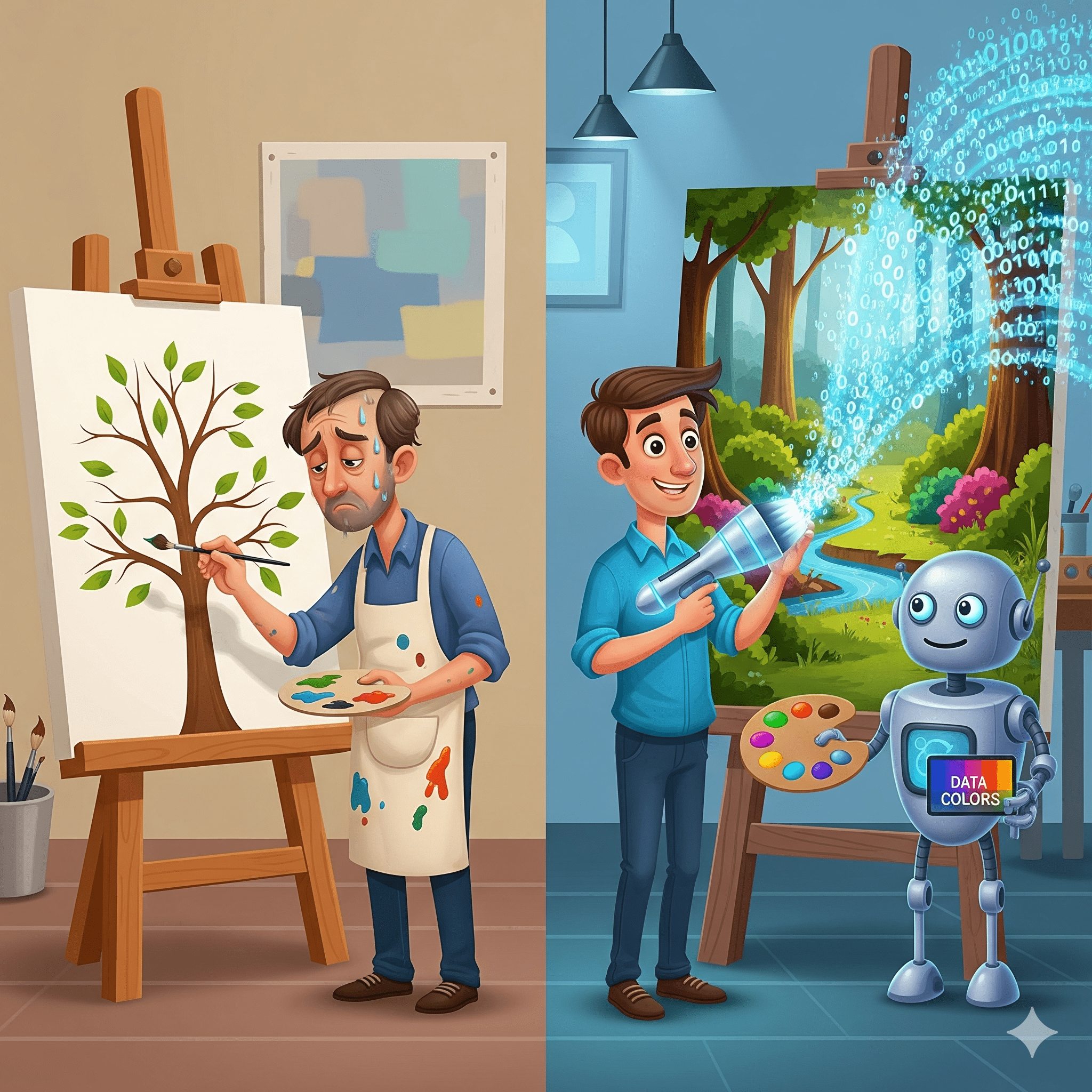
Imagine a painter named Leo. Leo is very talented, but he is very slow. He paints every single leaf on a tree by hand. One, two, three… ten thousand leaves. It takes him weeks to finish one painting. By the time he is done, the season has changed, and the leaves have fallen off the real tree!
Leo is tired. He loves art, but he hates the boring parts.
One day, a wizard walks into his studio. The wizard gives Leo a “Magic Brush.” The wizard says, “Leo, just paint the trunk. Then, point the Magic Brush and say ‘Leaves’.” Leo tries it. He paints a brown line. He points the brush. Poof! Thousands of perfect green leaves appear instantly.
Leo is shocked. “How did it do that?” he asks. The wizard smiles. “It didn’t just guess. It studied every tree in the forest. It knows where leaves go. It applied its knowledge to your painting.”
This Magic Brush is exactly what Artificial Intelligence (AI) is. When you use a tool to edit a photo, write a caption, or fix code, and you click that shiny button, you are using the Magic Brush.
In this guide, we are going to look inside the brush. We will explain how ai apply works, why human-AI collaboration for creators is the future of art, and how you can use this magic to finish your work before the seasons change.
Understanding the Basics: How AI Apply Works
To understand how ai apply works, we need to stop thinking of computers as calculators. Calculators only do what you tell them ($2+2=4$). AI is more like a Chef.
The Chef Analogy
Imagine you are in a kitchen.
- The Input (Ingredients): You give the Chef a basket of random food (this is your prompt or your draft).
- The Processing (The Recipe): The Chef has read every cookbook in the world. He knows that tomatoes go with basil, not chocolate.
- The Application (Cooking): The Chef chops, mixes, and cooks the food into a meal.
When you ask an AI to “Fix my grammar” or “Make this image brighter,” the AI is the Chef.
- It looks at your messy sentence (Ingredients).
- It remembers the rules of grammar (Recipe).
- It applies those rules to rewrite your sentence (The Meal).
So, simply put, how ai apply works is by taking your rough idea and running it through a brain that has seen a billion “correct” versions of that idea.
Deep Analysis: The Three Steps of Application
Let’s look under the hood. When you use a tool like the Social SEO app Made by autoskillai.com, three things happen in a split second.
1. Pattern Recognition (The Eye)
First, the AI scans your work. It doesn’t just see pixels or letters; it sees patterns. If you upload a picture of a cat, the AI sees: “Pointy ears + Whiskers + Fur = Cat.” It identifies the subject.
2. Contextual Understanding (The Brain)
This is the hard part. The AI has to figure out what you want. If you say “Make it pop,” the AI has to understand that “pop” means “brighter colors and higher contrast,” not “explode like a balloon.” This understanding comes from AI and creativity. The AI has learned from millions of human interactions what “pop” usually means in photography.
3. The Transformation (The Hand)
Finally, the AI applies the change. It changes the pixels. It swaps the words. This is creative workflow automation. Instead of you changing 1,000 pixels one by one, the AI applies the change to all of them instantly.
Real-World Example: How AI Apply Works in Veer
Let’s look at a real tool to see this in action. You want to post on Instagram. You have a photo, but no caption.
Without AI
You sit there. You stare at the phone. You type “Good morning.” You delete it. You type “Coffee time.” You delete it. You waste 20 minutes.
With AI (The Veer Way)
- Input: You upload the photo to the Social SEO app Made by autoskillai.com.
- Process: The app sees coffee, a laptop, and a rainy window. It thinks: “Cozy + Work + Rain.”
- Apply: It applies this context to generate captions like: “Rainy workdays call for extra foam. ☕️ #WorkFromHome #CozyVibes.”
That is how ai apply works. It bridges the gap between the image and the text.
Why Human-AI Collaboration for Creators is Vital
Some people are scared. “If the Magic Brush paints the leaves, am I still the painter?” Yes! Leo still painted the trunk. Leo chose the colors. Leo decided where the tree stood.
The Pilot and the Autopilot
Think of a plane. The Autopilot (AI) keeps the plane flying straight. It handles the wind and the speed. But the Pilot (Human) decides where the plane is going. Human-AI collaboration for creators means you are the Pilot. The AI creates the workflow automation that keeps you in the air, but you choose the destination.
If you don’t understand how ai apply works, you might let the autopilot fly you to the wrong airport. You need to know how to give commands.
Step-by-Step: Applying AI to Your Workflow
Ready to use the Magic Brush? Here is a simple routine.
Step 1: The Rough Draft
Never ask AI to do everything from scratch. It’s better if you start. Write a messy paragraph. Sketch a stick figure. Record a humming melody. Give the AI something to work with.
Step 2: The Command
Be specific. Don’t say “Fix this.” Say: “Apply a professional tone to this email” or “Apply a watercolor style to this sketch.” The better your command, the better the application.
Step 3: The Review
The AI will apply the changes. Now, you must be the critic. Does it look right? Is it too robotic? This is where AI and creativity merge. You tweak the result until it feels human.
Top Tools That Show How AI Apply Works
You can see this magic in action right now with these free or freemium tools.
1. Veer (The SEO Wizard)
- What it does: It applies SEO logic to your social media posts.
- Link: Social SEO app Made by autoskillai.com
- The Magic: It takes your content and applies a layer of visibility so people can find it.
2. Grammarly (The Editor)
- What it does: It applies grammar rules to your writing.
- The Magic: It spots mistakes you didn’t even know existed and applies fixes with one click.
3. Photoshop Generative Fill (The Painter)
- What it does: It applies new pixels to images based on text.
- The Magic: You select an empty space, type “Castle,” and it applies a castle that matches the lighting perfectly.
4. GitHub Copilot (The Coder)
- What it does: It applies coding patterns to help programmers.
- The Magic: It predicts the next line of code before you type it.
The Future: Generative Engine Optimization (GEO)
As AI gets better, how ai apply works will change. Right now, you have to click “Apply.” In the future, the AI will apply changes before you ask.
Imagine typing an email, and the AI automatically adjusts your tone to match the person you are emailing, without you clicking a button. This is the future of creative workflow automation. It will be seamless. The Magic Brush will be attached to your hand.
Conclusion: Pick Up the Brush
Let’s go back to Leo. Leo isn’t tired anymore. He paints ten pictures a week. He tries crazy new ideas because he knows the boring parts are handled. He didn’t lose his talent. He amplified it.
You are Leo. You have ideas. You have a voice. Don’t let the slow, boring parts of work stop you. Understand how ai apply works. Use the tools. Let the AI handle the leaves while you focus on the forest.
The Magic Brush is waiting for you. Visit the Social SEO app Made by autoskillai.com and start painting your masterpiece today.