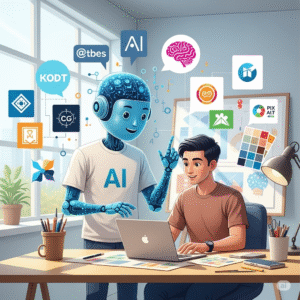
Meet Alex. Alex is a brilliant game developer, but right now, Alex is staring at a blank screen and sweating. The game is fun, but the main menu looks like a messy folder on a computer desktop—cluttered, confusing, and definitely not cool.(prompt for gaming UI/UX)
Alex has a massive problem: designing the User Interface (UI) and User Experience (UX) for the game is taking forever. Alex knows that the buttons, health bars, and inventory screens are just as important as the game itself. If the player can’t easily find the “Quit” button or understand the crafting menu, they’ll stop playing. It’s frustrating, slow, and Alex feels stuck.
But what if Alex had a super-assistant? An assistant that could instantly turn vague ideas like, “I need a ‘sci-fi inventory screen with glowing blue runes and a cracked-earth texture,” into a finished, polished design concept?
This isn’t a sci-fi fantasy; it’s the reality of using a perfect prompt for gaming UI/UX. This long-form guide will tell the story of how creators like Alex are adopting human-AI collaboration for creators to automate the most grueling parts of game design. We’re going to dive deep, but don’t worry—we’ll explain everything so clearly that even if you’re new to the world of AI, you’ll walk away feeling like a design wizard.
Prompt for Gaming UI/UX: Why We Need a New Design Superpower
Before we teach you how to talk to the AI, we need to understand what we’re asking it to build. The two magical letters we care about most are UI and UX.
Level Up Your Game Design with AI: With 20 Best Prompts
What is UI and UX? (The 10-Year-Old Explanation)
Imagine your favorite toy car.
- UI (User Interface) is the stuff you can see and touch.
- Think of the UI as the car’s paint job, the steering wheel, the speedometer, and the buttons on the radio. It’s the way things look—the colors, the fonts, the shapes, and the pictures. In a game, UI is the health bar, the minimap, the score counter, and the menu buttons. A great UI is beautiful and easy to read.
- UX (User Experience) is the stuff you feel when you use the car.
- Think of the UX as how smooth the car drives, how easy it is to find the brake pedal, and how comfortable the seats are. It’s about the journey and the feeling. In a game, UX is: “Is it easy to open the map?” “Do I know what this icon means right away?” A great UX makes the game feel natural and fun, not frustrating.
Now, designing both of these things takes massive amounts of time. Artists draw the graphics, designers figure out where the buttons should go, and coders make it all work. This is where creative workflow automation comes in, giving designers the tools to skip the tedious drafts and jump straight to polishing their brilliant ideas.
Ui Ux Game Android Design Generator App
The Story of Alex and the Magic AI Lamp: Understanding Creative Workflow Automation
Remember Alex, our struggling game developer? Alex discovered that the blank screen wasn’t the problem; the tool was the problem. Alex was trying to build a castle with a spoon!
And, Alex needed a better way, and that better way is AI prompting.
The Prompt: Your Secret Code to the AI
What is a prompt? It’s not just a simple question. Think of the AI as a magical assistant who can draw anything, but only if you give it the perfect instructions—like a detailed recipe.
If Alex just says, “Draw a game menu,” the AI assistant will say, “Which kind?” (A boring, blurry one will appear).
But if Alex uses a precise prompt for gaming UI/UX, it’s like giving the assistant a 10-page instruction booklet: “Create a main menu screen for a Cyberpunk RPG. It must be dark, use neon blue and purple only. The font should look glitchy. The buttons need a hexagonal shape, and when I move the mouse over them, they should glow and make a static sound effect illusion. The main keyphrase should be ‘SYSTEM BOOTUP.’”
That detailed instruction—that is the powerful prompt for gaming UI/UX that turns the AI from a simple sketcher into a professional concept artist. It’s the key to creative workflow automation.
Breaking Down the Best Prompt for Gaming UI/UX: The Structure
The best prompts follow a simple structure, which we can call the 3 Cs:
- Context (The Setting): What is this design for?
- Example: “Design a HUD (Heads-Up Display) for a first-person space survival game set 300 years in the future.”
- Characteristics (The Look): What does it look like?
- Example: “It must have a minimalist, transparent glass aesthetic with dark green text. No rounded corners. The elements should be arranged in a diamond shape.”
- Constraints (The Rules): What must it include?
- Example: “Must include a large, central power meter, a small mini-map in the bottom-left corner, and three different types of ammo icons in the bottom-right.”
By giving the AI these three pieces of information, Alex ensures the result is immediately useful, not just pretty. This is how human-AI collaboration for creators moves from guesswork to precision.
Human-AI Collaboration for Creators: Turning Pixels into Gold
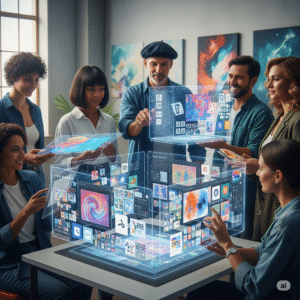
Many people worry that AI will take over design jobs. But this is like worrying that a calculator will take over mathematics. The AI is just a tool, and the human—the creator—is still the boss. The collaboration between Alex (the human) and the AI (the tool) is what creates magic.
Human-AI collaboration for creators means the AI handles the 80% of boring, repetitive work (like generating 50 variations of a button style), and Alex spends the remaining 20% doing the real creative work: choosing the best option, injecting emotion, and perfecting the tiny details that only a human can feel and understand. This makes the overall process much faster.
Case Study 1: Indie Dev’s 48-Hour Menu Screen
An independent developer named Sarah was building a retro-style farming simulator. She needed a main menu that looked like it was drawn with colored pencils on old parchment paper.
- The Problem: Manually sketching and digitizing the “parchment” look for every menu background would take her a week.
- The Prompt for Gaming UI/UX: “Create a main menu for a cozy farming simulator. The background must look like an antique, wrinkled parchment map with slight tea stains. All buttons should have the texture of worn, round wooden signs, and the font should resemble messy, child-like handwriting. Use pastel green and brown colors only. The mood must be nostalgic.”
- The Result: The AI instantly gave her three high-fidelity concepts. Sarah spent 4 hours tweaking colors and placements instead of 48 hours designing from scratch. This accelerated her creative workflow automation dramatically.
Case Study 2: AAA Studio’s Localization Speedup
A large studio, Acme Games, had a massive sci-fi RPG. They needed to adapt the UI for the Japanese market, which requires specific font sizes and layouts to handle the complex characters.
- The Problem: Redesigning and testing every screen to ensure the Japanese text fit perfectly without looking squished took six months.
- The Prompt for Gaming UI/UX (Iteration): “Adapt the existing JSON file structure for our inventory UI. The new constraints are: target language is Japanese. The font must be ‘Noto Sans CJK JP’ at 16pt. Increase vertical padding on all buttons by 20% to accommodate tall characters. The goal is to optimize for readability and cultural relevance.”
- The Result: Acme Games used AI to generate and test the layout changes algorithmically across thousands of files in weeks, not months. The AI didn’t create the design, but it handled the boring, complex adaptation—a perfect example of powerful creative workflow automation.
Deep Dive: The Three Pillars of a Perfect Gaming UI/UX Prompt
To get the results you want, you need to break your vision down into three simple jobs for the AI.
Prompt for Game Character: The Secret 5-Step Formula to Unlock AI’s Full Creative Power
1. The Style Chef (Visuals & Aesthetics)
This pillar is all about the look (the UI). You are telling the AI what ingredients to use.
- Specify the Vibe: “Dark Fantasy,” “Vaporwave,” “Brutalist Sci-Fi,” “Hand-Drawn Cartoon.”
- Specify the Color Palette: “A complementary triadic palette of gold, deep red, and dark wood textures.”
- Specify the Materials: “A polished obsidian surface,” “A worn leather scroll,” “Glow-in-the-dark stickers.”
- Specify the Shapes: “Buttons must be perfect circles with a sharp, drop shadow,” “All containers should be trapezoidal.”
The Golden Rule: The more detail you give the Style Chef, the less the AI has to guess. Vague prompts lead to vague images. A highly detailed prompt for gaming UI/UX leads to unique, professional concepts.
Prompt for Gaming Name: The Secret Code💡
2. The Interaction Architect (Flow & UX)
This pillar is about the feeling (the UX). You are telling the AI how the parts should connect and move. While AI can’t fully code the movement, it can generate visuals that suggest movement and interactivity.
- Focus on State: Describe what happens after an action.
- Example: “When the ‘Upgrade’ button is inactive, it should be dim and gray. When it is active, a blue energy beam should flow through it.”
- Focus on Hierarchy: What is the most important thing on the screen?
- Example: “The player’s current currency count should be the largest, boldest text element, placed centrally near the top.”
- Focus on Feedback: How does the UI talk back to the player?
- Example: “Show a small, dynamic animation of a star shattering when a player clicks a ‘Delete Item’ icon, confirming the action.”
3. The Technical Librarian (Constraints & Output)
This pillar is about the practical rules. You are telling the AI what it cannot do and what file structure you need.
- Screen Size/Aspect Ratio: “Design for a 16:9 desktop monitor,” or “Optimize for vertical mobile phone screens.”
- Platform: “The UI must be finger-touch friendly for mobile,” or “Design for a controller-first console experience (large elements).”
- Output Format (Meta-Prompting): “Generate the output as a clean vector graphic concept,” or “Generate 4 separate images: the main screen, the inventory screen, the settings panel, and the pause menu.”
This level of structure ensures that your prompt for gaming UI/UX isn’t just a pretty picture; it’s a functional blueprint ready for the next step of the creative workflow automation.
Tools of the Trade: Your AI and Creativity Arsenal
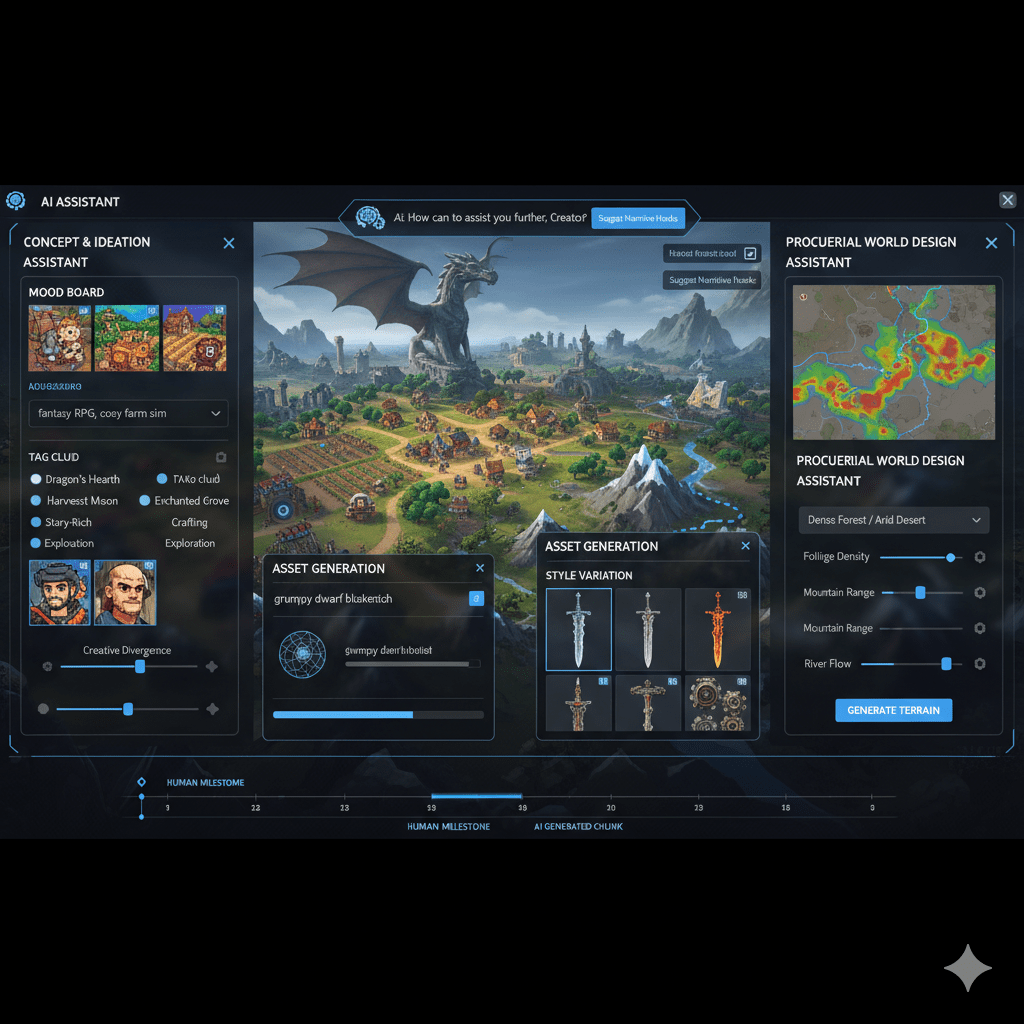
To make this kind of powerful human-AI collaboration for creators happen, you need the right tools. Here are 3 highly recommended types of AI tools that Alex now uses every day:
| Tool Category | What It Does (The Simple Explanation) | Example Tool Focus |
|---|---|---|
| Generative Image Models | These are the powerful artists that take your text prompt for gaming UI/UX and draw the actual picture of the screen concept. | Midjourney/Stable Diffusion – Used for creating high-fidelity, visual concepts and textures. |
| Generative Code Assistants | These AI friends don’t draw the picture, but they help Alex write the boring code for the UI. They can suggest how to structure the buttons and menu elements. | Gemini Code Generation – Used for suggesting HTML/CSS structure or Unity/Unreal Engine code snippets for the UI elements. |
| Design Feedback AIs | These tools look at your finished design and tell you if it’s easy to use. They act like a tiny, quick focus group, checking things like color contrast and button placement. | Uizard/Figma AI Plugins – Used to analyze existing designs for usability and suggest UX improvements. |
Pro Tips & Future Vision: Mastering the Prompt for Gaming UI/UX
Learning how to write a good prompt for gaming UI/UX is a skill, and like any skill, it takes practice. Here are some advanced tips Alex learned that truly mastered AI and creativity for game development:
1. Reference, Reference, Reference (The Lookbook)
Never use vague terms like “cool” or “epic.” Instead, tell the AI exactly what you mean by referencing existing styles.
- Weak Prompt: “Draw a survival game UI.”
- Strong Prompt for Gaming UI/UX: “Draw a survival game UI. The aesthetic must be a direct fusion of the Alien Isolation industrial look and the messy, scribbled notes from the Resident Evil 7 menu. Use dirty-white and stark-red colors only.”
By giving the AI specific references, you skip 20 versions of guessing games and jump straight to a high-quality result.
2. Iterate, Don’t Start Over (The Refinement)
The first prompt is almost never the final answer. The magic of human-AI collaboration for creators is the speed of iteration.
- Prompt 1: Generates a medieval scroll menu.
- Prompt 2 (Refinement): “Now, take the design from the first image, but change the scroll texture to cracked obsidian stone. Keep the gold lettering, but make it glow with a fiery, shimmering effect.”
You don’t need to rewrite the whole recipe. You just need to tell the assistant which step to change. This drastically speeds up the creative workflow automation.
3. The Power of Negative Prompting (The Anti-Chef)
Sometimes it’s easier to tell the AI what you don’t want. This is called negative prompting.
- Example: You love the sci-fi menu, but the AI keeps putting random alien creatures in the background.
- Negative Prompt: “Do not include any characters, creatures, organic matter, or curved lines.”
By being explicit about what to exclude, your prompt for gaming UI/UX becomes laser-focused on the functional design elements you need.
The Future of AI and Creativity in Gaming
The speed gained by using a high-quality prompt for gaming UI/UX is reshaping the industry. According to industry analysis and reports from major design-focused organizations like HubSpot and the design insights shared by OpenAI (credible sources), the next few years will see AI not just creating static images, but generating entire, interactive prototypes from a single text prompt.
This is the ultimate evolution of AI and creativity. It frees up the talented human designers to spend more time on the complex, emotional, and psychological aspects of the game—making the story deeper, the characters more relatable, and the gameplay truly unique—while the AI handles the repetitive job of making the menus look stunning and functional.
Alex, our struggling game developer, is now thriving. The game is successful, not just because the gameplay is great, but because the UI is clean, cool, and easy to use. Alex found that the key was not working harder, but working smarter, using the detailed prompt for gaming UI/UX as the key to unlock rapid creative workflow automation.